A fast blockchain response does not tell you whether a provider can serve your application. Today's balance might work while an old balance fails. A transfer query might return fewer events than your application needs. Both failures can break a feature after you have chosen a plan.
Test the providers you are considering from the region where your application sends requests. Check the reads your application requires, then compare their latency and monthly cost. The RPC provider audit runs these checks with Node.js and no dependencies.
The supplied configuration targets Ethereum mainnet. It covers correctness, historical access, log caps, error responses, block freshness, latency and WebSocket gaps. You supply the endpoints, credentials, required blocks and monthly call mix.
Run the audit from your application region
Use your app server, a continuous integration runner in the same region, or your development environment. Network distance affects latency, so repeat the same configuration wherever your application runs.
Clone the example and copy its configuration:
git clone https://github.com/dwellir-public/dwellir-examples.git
cd dwellir-examples/examples/rpc-provider-audit
cp config.example.json config.json
Set credentials in environment variables, following the README. URL templates contain placeholders such as ${DWELLIR_API_KEY}. The tool resolves them in memory and excludes expanded URLs and keys from reports.
Keep the endpoints on the plans you intend to buy. Add or replace providers in config.json, and remove a WebSocket URL when you do not have one. An omitted stream becomes not tested.
Change archiveBlocks to include your oldest required block. Set the log filters to contracts and events your application reads. Replace the monthly call counts with your own forecast. Then run:
node audit.mjsRead report.md for the results. Keep report.json to compare regions or later evaluations. The default configuration sends sequential HTTP requests at least 500 ms apart per endpoint, with no automatic retries.
Each HTTP request has a 15-second deadline and an 8 MiB response cap. The default observation window lasts 60 seconds. Increase sample counts and observation time when you need more evidence, within your account's limits.
Reject wrong or incomplete data first
Start with the chain identifier and a trusted historical block hash. The preset pins Ethereum block 15,537,394. A mismatch excludes that endpoint from later probes. Check the reference value before blaming the provider.
Next, separate historical state from transaction history. A block body describes its transactions. Historical state contains the balances and contract storage needed to answer old balance reads and contract calls.
For every configured archive block, the tool reads a body, balance, contract value, receipt and logs. Each check answers a different requirement:
| Check | Why it affects your choice |
|---|---|
| Block body at the requested height | Your backfill needs transactions from that period |
| Account balance and contract call | Your feature needs state as it existed at that block |
| Receipt tied to its transaction and block | Your application needs historical execution results |
| Logs with valid identities and contents | Your indexer needs historical events |
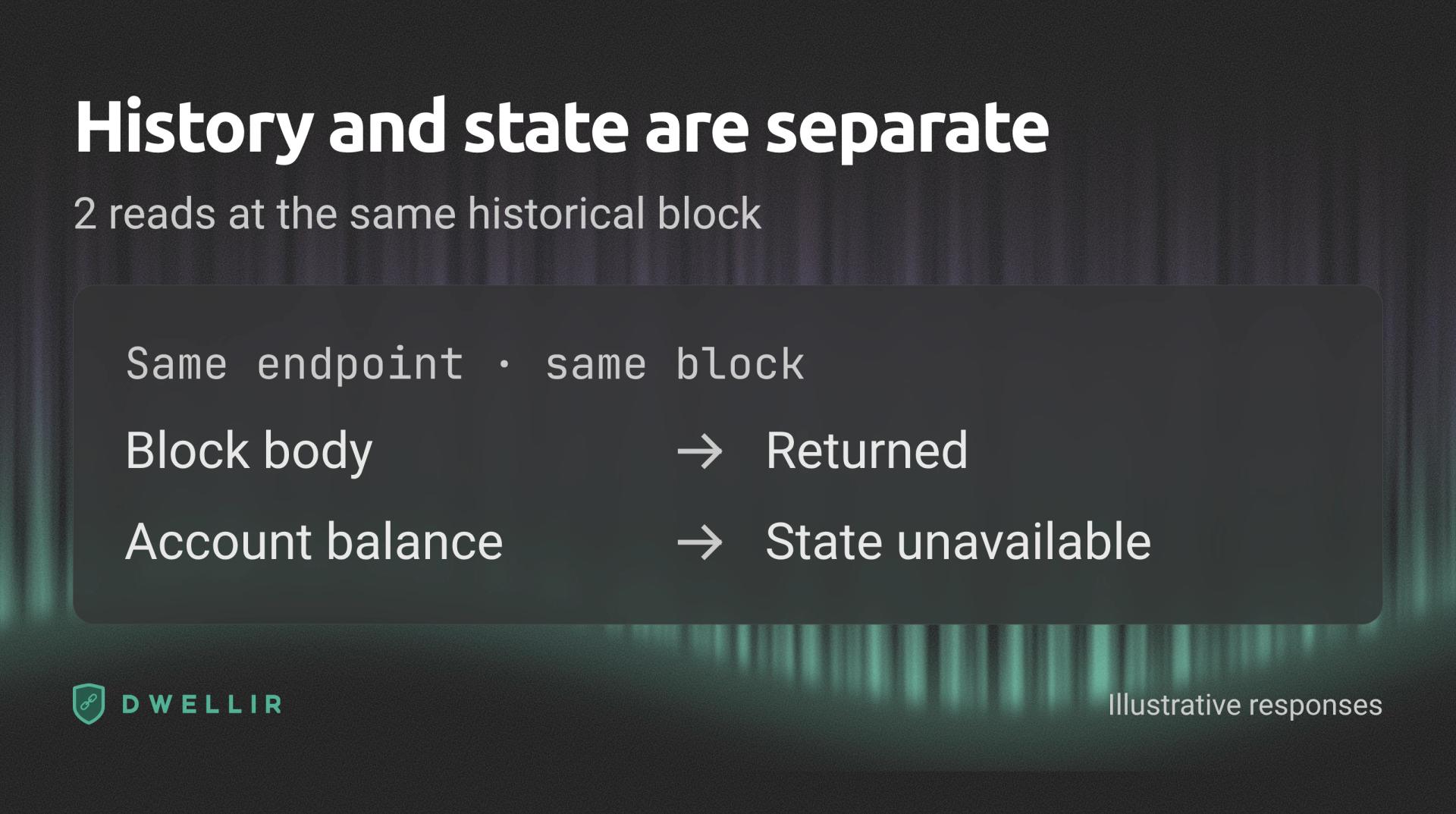
Two illustrative reads target the same historical block. The endpoint returns the block body but cannot serve the account balance. A successful history read does not establish historical state access.
An ok body or receipt passes the tool's shape and identity checks. It does not independently verify every returned field. Historical contract values also receive a comparison across usable endpoints.
A timeout means the request did not finish within the configured deadline. It does not prove the data is absent. Repeat a required read with an appropriate deadline before deciding whether the endpoint meets your needs.
Choose log ranges with known events. An empty result at an empty block cannot expose missing history. An archive label does not replace these separate checks.
Find the log query boundaries your backfill needs
A provider can limit both the number of blocks in a request and the number of returned logs. Test them separately. A sparse filter increases block width without many events. A dense transfer filter increases result volume.
The preset uses a Uniswap factory address for sparse queries and USDC transfers for dense queries. Both use explicit historical ranges. Change them to match your backfill before comparing providers.
The report retains HTTP status, JSON-RPC error code, message, response size and elapsed time. JSON-RPC means the request and response format used by these blockchain methods. An HTTP 200 response can still contain an RPC error.
The tool validates log fields before comparing responses. Its fingerprint includes block and transaction identities, address, topics and data. Duplicate logs, invalid fields and results outside the requested filter fail validation.
Matching counts alone are insufficient. Two arrays can contain the same number of different events. The fingerprint compares their contents while ignoring response order.
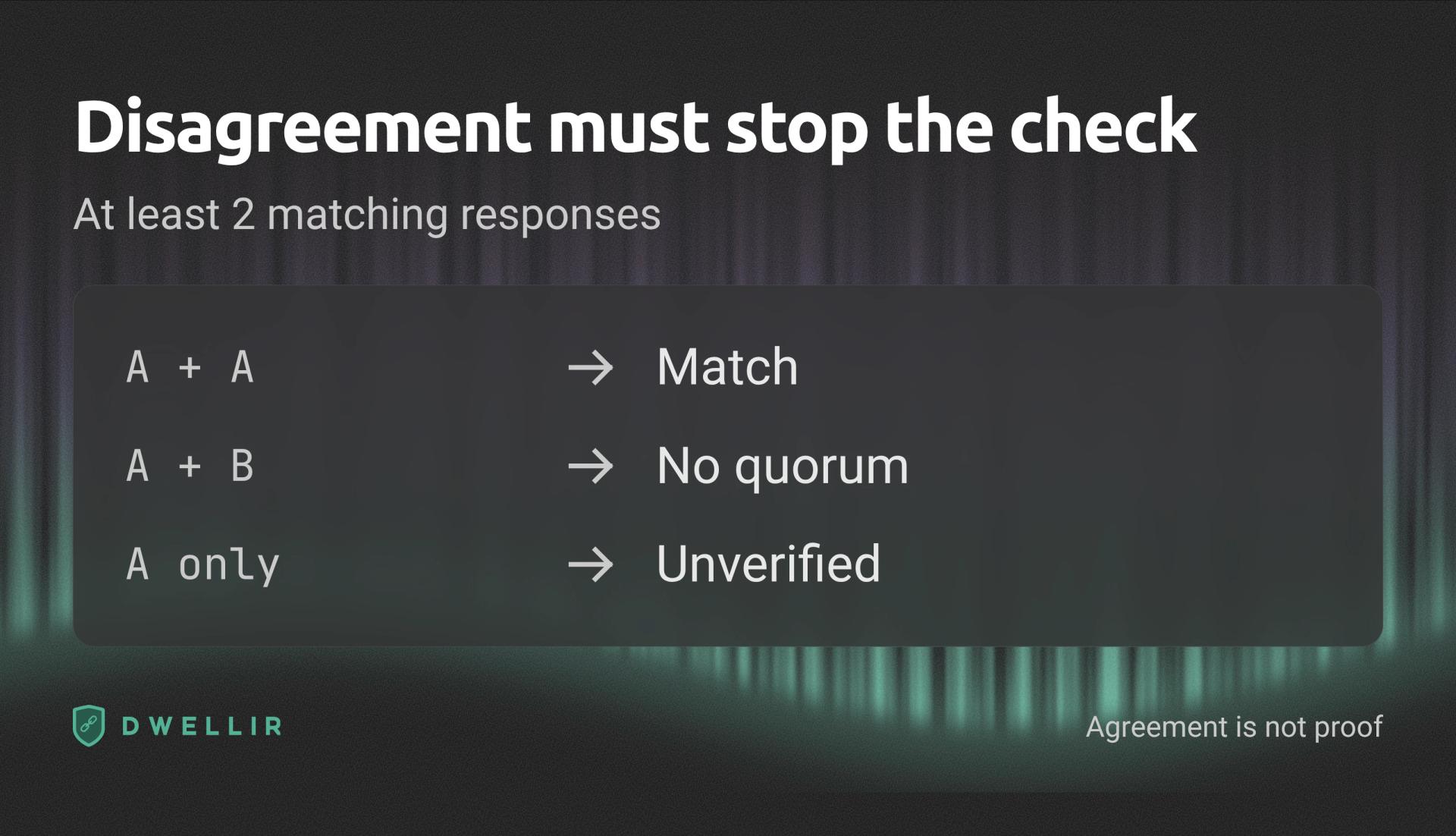
Two matching log fingerprints produce a match. Two different fingerprints produce no quorum. One surviving fingerprint remains unverified. A match requires a strict majority of usable responses and at least two matching responses. Agreement does not prove correctness or provider independence.
No quorum means the responses disagree without a strict majority. Unverified means only one usable response remains. Neither result counts as a match. Even matching endpoints can share a backend, so agreement is not independent proof.
Each filter stops an endpoint after its first failed or unresolved comparison. Read that row as a tested boundary. It does not establish an exact or permanent provider limit.
Use the error message to distinguish range limits, result caps and invalid parameters. A cap can require smaller queries, which increase your monthly call count. The eth_getLogs limits guide shows how to split ranges.
Test the errors your application must handle
The error checks send an unknown method, an invalid address, malformed JSON, an empty batch and a batch containing one invalid member. They also request an unavailable future block.
Read HTTP status and every RPC response member. The JSON-RPC specification identifies standard error shapes and permits batch responses in a different order from requests. Match batch members by identifier.
A returned null differs from an RPC error. It also differs from a valid block. If your application requires an existing block, neither null nor HTTP success alone satisfies that requirement.
Use these results to check your failover rules. An unknown method can require another endpoint. Invalid parameters require a corrected request. A rejected log range can require splitting. Handle partial batch failures per member.
Dwellir does not bill HTTP 429 responses. Treat rejected-request billing as unknown for other providers until their documentation or a written answer establishes it. The audit does not trigger rate limits to test billing.
Compare freshness and latency by method
For each freshness sample, the tool asks for the current height, then fetches that block. The body must match the requested height and contain a valid hash. This catches a reported head that the endpoint cannot serve.
The report separates failed reads, unavailable bodies, backward heights and conflicting hashes at the same height. Its lag column measures distance behind the highest validated endpoint in that polling round. It does not identify the true chain tip or delay in seconds.
Polling order rotates, but calls remain sequential. A new block during a round can create a height difference. Investigate repeated lag and hash conflicts before treating them as a provider defect.
Latency rows separate new connections from requests through a keep-alive connection. New connections include connection setup and Transport Layer Security, or TLS. The report counts actual socket reuse because servers can close idle connections.
Compare the same method across endpoints. Percentiles include successful, validated responses only, so read failures beside them. A low median cannot compensate for a required method that fails.
The default five warm samples provide a smoke check. Increase latencyRounds for a latency evaluation. Repeated parameters can benefit from caching, so retain the configuration alongside each result.
Check the stream against HTTP
WebSocket connections let your application receive new block headers without polling for each one. A connected socket can still miss a notification.
The audit subscribes to newHeads and compares received heights with the same endpoint's HTTP heads. Its gap count includes the last HTTP height after a grace period. A missing URL or failed subscription produces no numeric gap count.
The report states the checked height range. It separates repeated headers, changed hashes at the same height, disconnects and HTTP hash conflicts. A changed hash can reflect a chain reorganization, so investigate the cause.
Keep HTTP backfill in your application. The audit records disconnects without reconnecting or repairing gaps. The WebSocket recovery guide explains how to recover missed blocks.
Price the workload that passes your checks
Set monthly HTTP call counts by method in config.json:
"monthlyCalls": {
  "eth_blockNumber": 2000000,
  "eth_call": 8000000
}
Include retries and the smaller queries your backfill needs. Count each batch member. Price streaming messages separately from this HTTP workload.
Select each endpoint's actual priceId from prices.json, then compare the same call mix. The file includes Dwellir, Alchemy, QuickNode and Chainstack plans with source URLs, verification dates and published method weights.
For the sample 2 million eth_blockNumber calls and 8 million eth_call requests:
| Monthly plan | Billable units | Calculated monthly cost |
|---|---|---|
| Dwellir Developer | 10 million responses | $49.00 |
| Alchemy Pay as You Go | 228 million compute units | $118.56 |
| QuickNode Build | 200 million API credits | $123.40 |
| Chainstack Growth | 10 million request units | $49.00 |
These estimates use monthly billing, full subscriptions and standard Ethereum HTTP reads at the latest block. Alchemy weights the methods at 10 and 26 units, QuickNode at 20 each, and Chainstack full-node reads at one each. Taxes, streaming and add-ons are excluded.
Choose Chainstack's archive entry when your workload uses archive requests. Refresh the sourced prices before buying, and keep each plan's included allowance and overage rate beside the workload calculation.
Check each plan's log ranges and rate limits alongside cost. A plan that cannot serve your required query needs a different workflow or plan.
Turn the report into a provider decision
The offline fixtures produce the following results. They illustrate report behavior, not provider measurements. The price row applies the sample workload to published plans.
| Report check | fixture-complete | fixture-pruned |
|---|---|---|
| Pinned block hash | ok | ok |
| Old block body | ok | ok |
| Old balance | ok | RPC -32000 |
| 501-block log query | HTTP 400, RPC -32005 | HTTP 429, RPC -32005 |
| Final WebSocket height | 1 missing | Not tested |
| Monthly workload cost | $49.00, Developer model | $118.56, Alchemy PAYG model |
If your feature needs old balances, investigate or reject the second endpoint before comparing its speed. If it needs uninterrupted block processing, repair the first endpoint's stream workflow before relying on it.
Shortlist endpoints that satisfy your required reads and recovery rules. Compare their method latency from each application region. Then use sourced prices to compare the monthly workload that remains.
To include Dwellir in that evaluation, add your Ethereum endpoint to the configuration and select your actual plan. Keep the report and configuration as your baseline when you change regions, plans or providers.