Your wallet's indexer can exhaust the RPC capacity its balance API needs. A Base backfill and Ethereum balance reads share throughput when both use the same Dwellir account limit. A second API key does not increase that limit.
If your wallet uses public or free RPCs on user devices, start with the services you operate. An indexer still needs to backfill records, follow new blocks, and recover from interruptions. Those backend workloads are the focus here.
For initial wallet integration, see connecting a dApp to Ethereum and BSC. For provider throughput ceilings, see RPC rate limits compared.
Use Dwellir for wallet indexing and balance services
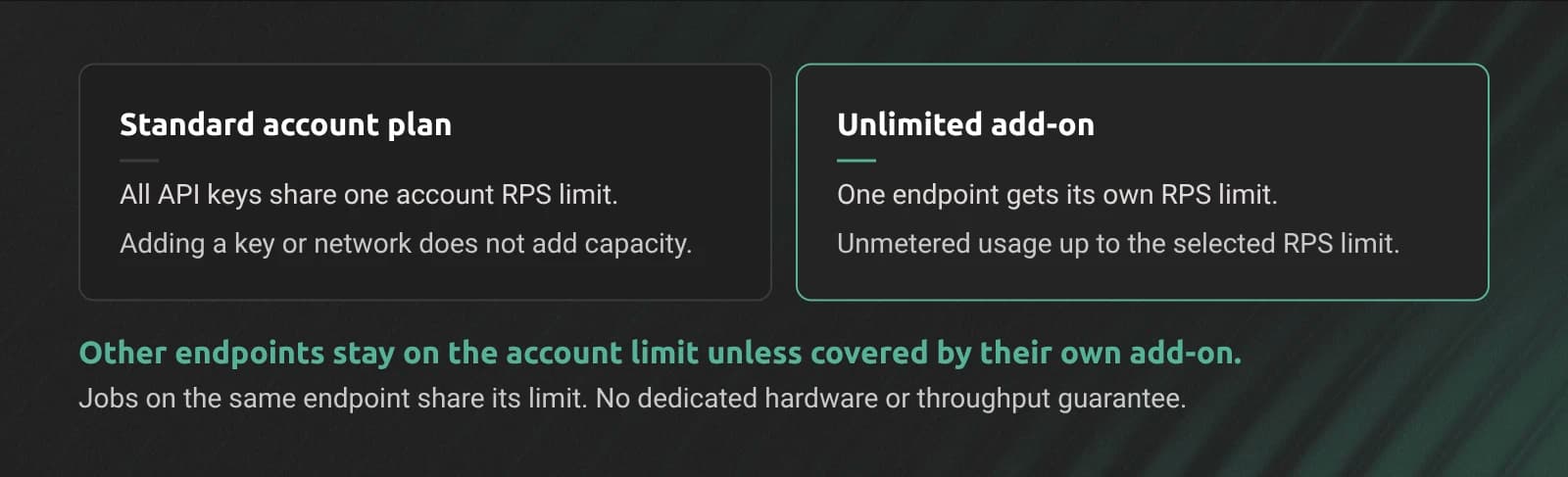
Dwellir's standard requests-per-second (RPS) limit applies to the account. All API keys share it. Choosing another network or creating another key does not create a separate RPS allowance. See the rate-limit documentation.
A Dwellir Unlimited Node add-on gives one endpoint its own RPS limit, outside the shared account limit. Usage on that endpoint is unmetered up to the selected limit. It does not consume the plan's API credits.
For example, an Unlimited add-on on your Base indexing endpoint separates its RPS budget from Ethereum balance reads on the standard plan. The add-on covers that endpoint, not every endpoint on Base. Other endpoints remain on the account's shared limit unless they have their own Unlimited add-on.
| Workload | Capacity choice | What it changes |
|---|---|---|
| Initial integration or intermittent reads | Standard account plan | All keys share the account's RPS limit and credit allowance |
| Sustained indexing on one endpoint | Unlimited add-on for that endpoint | Separate RPS limit and unmetered usage up to that limit |
| Backfill and live reads on the same Unlimited endpoint | Application request budgets | Both share that endpoint's purchased RPS limit |
Use the add-on where sustained traffic makes a fixed monthly bill useful. Choose its RPS tier from peak demand, including recovery after downtime. The tier remains a rate limit; it does not reserve hardware or guarantee throughput.
Limit backfill concurrency so it leaves room for live reads on the same endpoint. A separate limit protects other endpoints from that workload's RPS consumption. It does not prioritize requests within the covered endpoint.
Verify chainId when selecting an endpoint
A request sent to the wrong network can return valid JSON. The account might have another balance there, or its transaction receipt might be null. An HTTP success response cannot detect that configuration error.
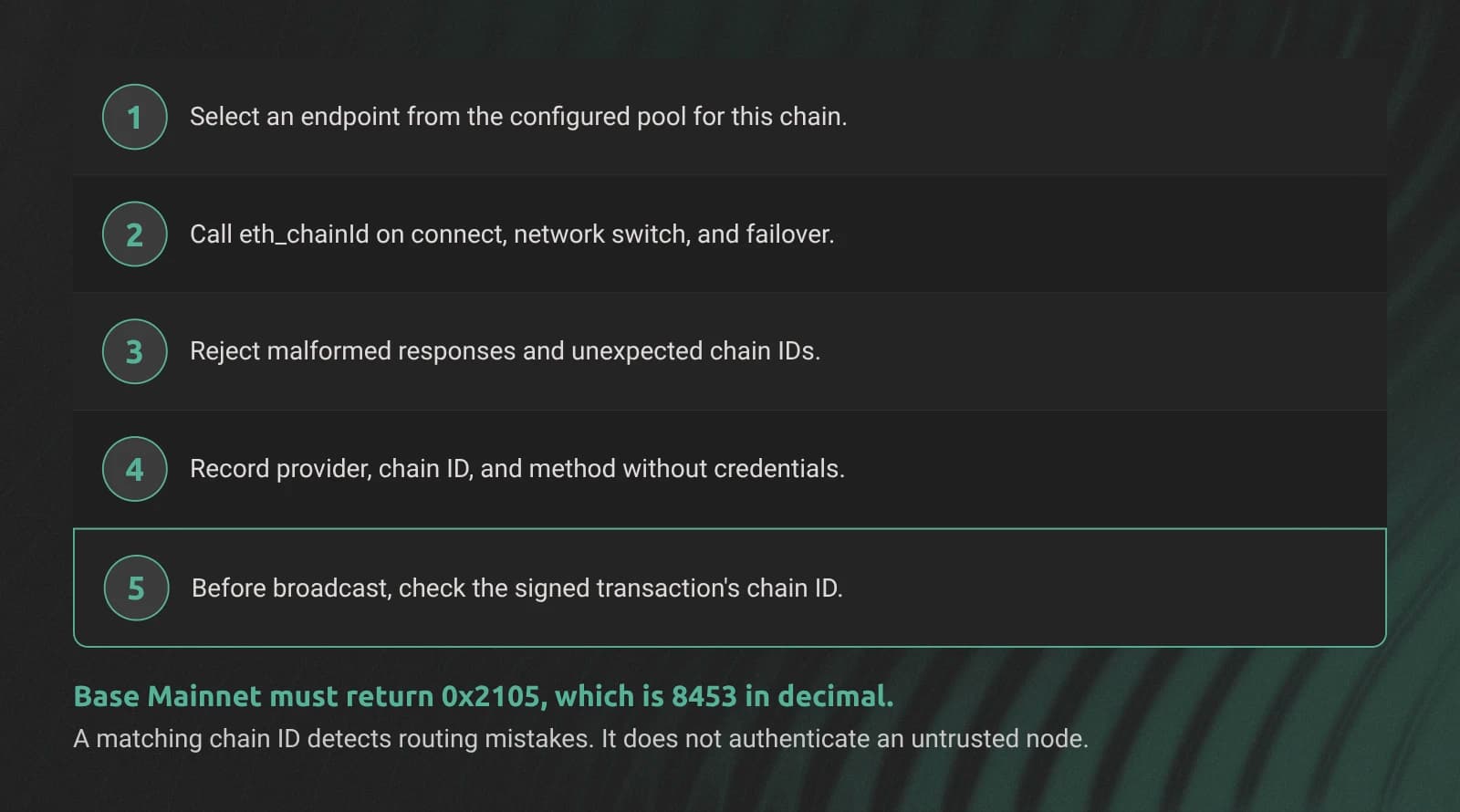
Maintain a configured endpoint pool for each chain ID. Call eth_chainId when connecting, switching networks, or selecting a failover endpoint. Reject HTTP errors, JSON-RPC errors, malformed results, and unexpected chain IDs before sending wallet requests.
curl -sS https://api-base-mainnet-archive.n.dwellir.com/YOUR_API_KEY \
  -H 'content-type: application/json' \
  -d '{"jsonrpc":"2.0","id":1,"method":"eth_chainId","params":[]}'
Base Mainnet should return 0x2105, the hexadecimal representation of 8453. Compare against your configured value, rather than accepting whichever network the endpoint reports.
| Chain | Decimal chain ID | Expected eth_chainId |
|---|---|---|
| Ethereum | 1 | 0x1 |
| BNB Smart Chain | 56 | 0x38 |
| Base | 8453 | 0x2105 |
| Arbitrum One | 42161 | 0xa4b1 |
| Optimism | 10 | 0xa |
Before broadcasting, also check the signed transaction's chain ID. EIP-155 binds replay-protected legacy signatures to a chain ID. Current typed transactions also include one. A wrong endpoint should reject a transaction signed for another chain, but reads can still return misleading data.
A matching chain ID detects routing mistakes. It does not prove that an untrusted endpoint reports honest data. Use trusted providers and keep API keys out of client logs.
Record the selected provider, expected chain ID, and method in telemetry. Remove mismatched endpoints from that chain's pool. If no verified endpoint remains, report the network as unavailable instead of selecting a default chain.
Separate read retries from transaction recovery
Balance and block queries can move to another verified endpoint after a transport failure. A transaction submission needs more care because a timeout does not reveal whether the node accepted it.
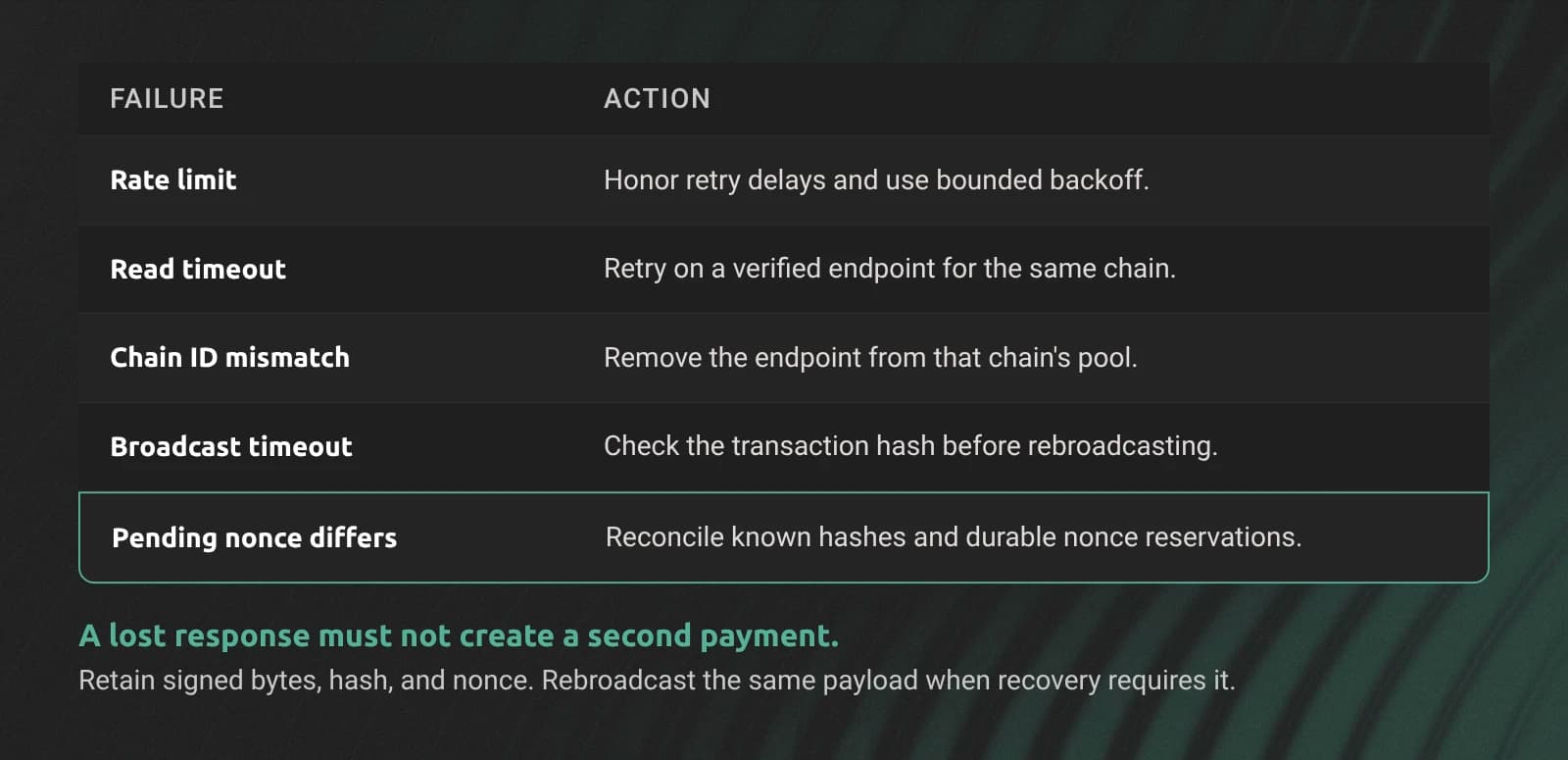
| Failure | Read handling | Transaction handling |
|---|---|---|
| Rate limit | Honor retry delays; use bounded backoff | Apply the same limits and preserve the pending submission |
| Timeout or server error | Retry against a verified endpoint for that chain | Check the transaction hash before deciding to rebroadcast |
| Chain ID mismatch | Remove the endpoint | Reject it before broadcast |
| Stale head | Compare block progress and choose a current endpoint | Reconcile known transactions before changing nonce state |
| Different pending nonce values | Label pending balances as provisional | Use a durable nonce record and known transaction hashes |
Keep transaction submission and pending nonce reads on a consistent backend where the provider supports it. A load-balanced hostname can still route requests to different nodes. Dwellir's sticky-session documentation explains how to preserve backend affinity.
If your backend signs transactions, affinity alone does not coordinate concurrent workers. Store nonce reservations durably and serialize allocation for each sending account. For user-signed transactions, the signing wallet controls nonce selection; your indexer tracks the submitted transaction. See the nonce and mempool guides for the underlying transaction behavior.
After a broadcast timeout:
- Retain the signed bytes, transaction hash, chain ID, and reserved nonce.
- Look up the transaction and its receipt on a verified endpoint. A
nullresult on one node does not prove that no node accepted it. - If recovery requires another broadcast, submit the same signed bytes. They identify the same transaction.
- Create a replacement only through an explicit replacement policy. Do not allocate a new nonce and create another payment automatically.
- Reconcile receipts and account nonce state before releasing reservations or reporting the payment complete.
Give reads a deadline and a bounded number of endpoint attempts. Retry transport and rate-limit failures, while returning invalid-parameter errors to the caller. A generic retry wrapper around arbitrary wallet operations can repeat actions that should require reconciliation.
Alert on wallet failures by chain and method
Set thresholds from the wallet's service targets and observed traffic. The following signals identify different failures and need different responses.
| Signal | What it can reveal | Response |
|---|---|---|
| Rate-limit responses | Background jobs consuming shared capacity | Reduce background concurrency and inspect the account or Unlimited endpoint limit |
| Chain ID mismatch | Misconfigured endpoint or routing | Remove the endpoint and investigate the configuration |
| Repeated failovers | Unstable provider or unsuitable retry policy | Inspect each failure reason and bound retries |
| Broadcast success rate | Submission failures | Track receipt outcomes separately from accepted broadcasts |
| Balance block age | Stale reads | Label cached balances with their block and freshness |
| Nonce errors after failover | Conflicting pending views or local reservations | Reconcile transaction hashes and nonce records |
A successful broadcast does not mean the transaction executed. Track acceptance, inclusion, execution status, and your required confirmation level separately. Explain the current state in the wallet instead of showing a generic success message.
Test the failover policy before adding networks
Exercise a rate limit, a timed-out broadcast, and a backup with the wrong chain ID. Confirm that reads stay on the selected chain. Confirm that a lost broadcast response cannot create a duplicate payment.
Then test provider recovery. A restored primary should not reset pending nonce reservations or erase transactions submitted through the backup.
Create a Dwellir account to connect your backend to the networks it indexes. Measure live reads and backfills before choosing capacity.
For sustained traffic, compare an Unlimited add-on for the busy endpoint with your metered usage. Contact the Dwellir team with the endpoint, peak RPS, and recovery workload to size it.